ROS settings for optical module
Proper ROS configuration for optical modules involves setting up calibration, coordinate transforms, stream parameters, and launch files to ensure accurate sensor integration and data processing.
Coordinate Frames and Calibration
For cameras like the ifm O3R, understanding the transform hierarchy is crucial. The main frames are: ifm_base_link → mounting_link → optical_link. Calibration should be performed in the ifm coordinate system, not in ROS world coordinates. The mounting_link is located at the center back of the camera housing, not the optical center. Calibration values, including rotation and translation, are applied independently via JSON configuration files, which can be loaded into ROS2 nodes for proper transform application . For general ROS camera calibration, the cameracalibrator.py tool supports monocular and stereo cameras. You specify a calibration pattern (e.g., chessboard), size, and square dimensions. Calibration outputs are saved and can be applied to ROS camera info topics. Options include fixing the principal point, aspect ratio, tangential distortion, and radial distortion coefficients .
ROS2 Parameter Configuration
For Intel RealSense cameras, ROS2 nodes use a parameter system integrated with the ROS2 framework. Parameters are categorized as:
- Static parameters: Set at node creation (e.g., stream resolution, frame rate)
- Dynamic parameters: Can be modified at runtime using the ROS2 parameter API (e.g., enabling/disabling depth streams, adjusting post-processing filters) Stream profiles are defined as
width x height x fps(e.g.,640x480x30). Changing a stream profile requires re-enabling the stream. Post-processing filters, such as decimation, spatial, and temporal filters, have additional configurable parameters .
Launch Files and Node Setup
Launch files provide a convenient way to configure multiple parameters at startup. For RealSense cameras, the main launch file (rs_launch.py) defines default parameters, which can be overridden via command line or ROS2 parameter API. For ifm O3R cameras, JSON configuration files can be referenced in launch files to apply calibration and transform settings .
Hardware and Driver Considerations
- Ensure the correct kernel modules are loaded (e.g.,
intel-ipu6-isysfor RealSense D457 on Axiomtek Robox500) to avoid driver conflicts . - Install required ROS packages and dependencies, such as
realsense2_camera,librealsense2, andddynamic_reconfigurefor RealSense devices . - Verify that the camera node publishes the expected topics, which may vary depending on the device and parameters.
Best Practices
- Perform calibration in the camera's native coordinate system.
- Use launch files to manage static parameters and JSON files for calibration.
- Adjust dynamic parameters at runtime for fine-tuning streams and filters.
- Confirm transform frames in RViz or other visualization tools to ensure correct alignment.
- Keep firmware and ROS packages updated to maintain compatibility. By following these steps, optical modules can be fully integrated into ROS or ROS2 environments, providing accurate 3D data for perception, navigation, and robotic applications.
 Factory
 camera_ros — camera_ros: Humble 0.7.0 documentation
There are different ways to install this dependency: System Package: Most Linux distributions provide a binary libcamera package.
 Factory
 Optical Flow · Clover
Running the "Optical Flow" function offers the possibility of POSCTL flight mode, and autonomous flight operating on a camera
 Factory
 easyJet | Vols pas chers & Vacances ️
Réservez des vols pas chers sur easyJet vers les plus grandes villes d''Europe. Trouvez aussi des offres spéciales sur votre
 Factory
 Adding a Camera
One should follow the ROS body convention and be named something like camera_link, and the other should follow the standard
 Factory
 Camera Transforms and Calibration — ifm3d-ros2 documentation
Understanding this hierarchy is crucial for proper integration with robotic systems and point cloud processing. The O3R system
 Factory
 RouterOS
RouterOS Documentation This webpage contains the official RouterOS user manual. RouterOS is the operating
 Factory
 How to Choose Optical Modules Correctly?
How Optical Modules Operate Transmitter Optical Sub Assembly (TOSA) The TOSA manages light emission,
 Factory
 MONARCH INSTRUMENT ROS-W 6080-056
The ROS Remote Optical Sensor is capable of detecting a reflected pulse from a target consisting of Reflective Tape at distances of
 Factory
 Getting started with ROS
ROS (Robot Operating System) is a plank for developing robotics software, which runs as an open-source project. It
 Factory
 ROS/Tutorials/InstallingandConfiguringROSEnvironment
Please ask about problems and questions regarding this tutorial on answers.ros . Don''t forget to include in your question the link
 Factory
 Adding a Camera
Add the optical link/joint Now we need to add the “dummy” link called camera_link_optical mentioned earlier, to account for the
 Factory
 TI DLP® System Design: Optical Module Specifications
ABSTRACT The objective of this application note is to help product developers better understand optical module specifications and
 Factory
 Isaac ROS (Robot Operating System) | NVIDIA Developer
NVIDIA Isaac™ ROS (Robot Operating System) is a collection of NVIDIA® CUDA®-accelerated computing packages and AI models
 Factory
 ROS Remote Optical Sensor
The ROS should be mounted (using the supplied jam nuts and aluminum mounting bracket) and optically aligned to illuminate the on
 Factory
 Configuring environment — ROS 2 Documentation: Humble
3 Check environment variables Sourcing ROS 2 setup files will set several environment variables necessary for operating ROS 2. If
 Factory
 Mastering Robot Operating System Vision
Deep technical guide to ROS 2 camera calibration, TF2 and optical frames for reliable robot vision pipelines.
 Factory
 ROS Tutorials
ROS Tutorials Non-Beginners: If you''re already familiar enough with ROS fuerte or earlier versions and only want to explore the new
 Factory
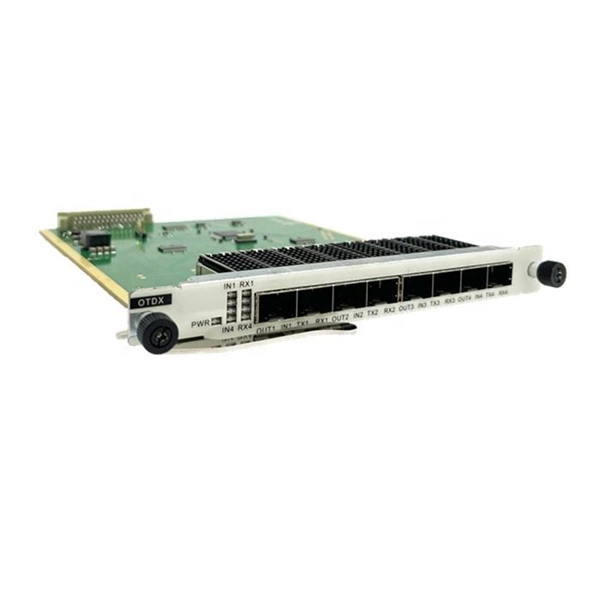
 Understanding Optical Modules: Working Principles, Structures, and
Explore the working principles, structures, and performance metrics of optical modules, essential components of
 Factory
 rafaalfe/realsense-ros-depth-measurement
Also, it provides TFs from each sensor ROS coordinates to its corrosponding optical coordinates. Example of static TFs of RGB
 Factory
 RViz User Guide — ROS 2 Documentation: Rolling documentation
Follow the installation instructions for your operating system to install RViz. Don''t forget to source the setup file. Then start the
 Factory
 Instruction Manual
The ROS and ROSM are versatile Remote Optical Sensors that have a visible red LED light source and green LED On-Target
 Factory
 Single Camera Setup | IntelRealSense/realsense-ros | DeepWiki
This page provides detailed information on how to set up and configure a single Intel RealSense camera using the
 Factory
 rtabmap_ros/Tutorials/SetupOnYourRobot
The --delete_db_on_start argument will make rtabmap to delete the database (default located in ~/.ros/rtabmap.db) when starting. If
 Factory
 leggedrobotics/realsense-ros-rsl
These are packages for using Intel RealSense cameras (D400 series SR300 camera and T265 Tracking Module) with ROS. This
 Factory
 ROS/Tutorials/InstallingandConfiguringROSEnvironment
If they are not then you might need to ''source'' some setup.*sh files. Environment setup files are generated for you, but can come
 Factory
 Unlock the Potential of the Monarch ROS Remote Optical Sensor
Discover the capabilities of the Monarch ROS Remote Optical Sensor, featuring a wired or phone plug connection and a green on
 Factory
 Configuration Parameters | IntelRealSense/realsense-ros | DeepWiki
Understanding these parameters is essential for properly configuring RealSense cameras in ROS2 environments. For
 Factory
 Optical module design resources | TI
View the TI Optical module block diagram, product recommendations, reference designs and start designing.
 Factory
 What''s inside an Optical Module?
TOSA means Transmit Optical Sub-Assembly. TOSA covers the electrical signal into an equivalent optical signal. A typical TOSA