How to set up a dual-network fiber optic panel
A dual-network fiber optic panel can be set up by carefully planning your topology, using modular patch panels, pre-terminated fiber cables, and proper labeling to ensure redundancy and easy management.
Step 1: Plan Your Network Topology
Before installation, determine the network topology. For dual-network setups, a star topology is recommended, where each network connects to a central patch panel or switch. This ensures high performance and reduces the risk of data collisions. Consider whether you need redundant paths for failover or separate networks for security and traffic segmentation ( ).
Step 2: Select the Right Patch Panels
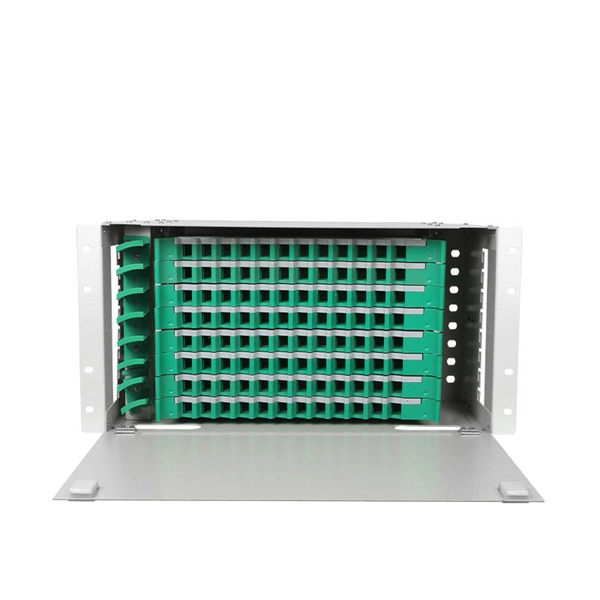
Choose modular or high-density fiber optic patch panels that support multiple cassettes or blank slots. Rack-mounted or wall-mounted panels are common in data centers. For dual networks, you may use two separate panels or a single panel with clearly divided sections for each network. Sliding or swing-out panels improve accessibility for maintenance ( ).
Step 3: Use Pre-Terminated Fiber Cables
Use pre-terminated multi-strand fiber optic cables (e.g., 4-strand or 8-strand) with LC or SC connectors. Pre-terminated cables save time, reduce labor costs, and minimize errors during installation. Ensure each fiber strand is properly tested for low attenuation and minimal dispersion ( ).
Step 4: Install and Manage Fiber
- Maintain the minimum bend radius to prevent signal loss.
- Use fiber management accessories like trays, rings, or guides to organize cables.
- Physically separate the two networks within the panel to avoid accidental cross-connections.
- Reserve extra ports for future expansion ( ).
Step 5: Labeling and Documentation
Label each port, panel, and trunk cable with unique identifiers. Proper labeling is crucial for troubleshooting, maintenance, and future network changes. Store documentation digitally for easy access ( ).
Step 6: Connect to Network Equipment
- Connect each network to its respective switch or router using the fiber patch panel.
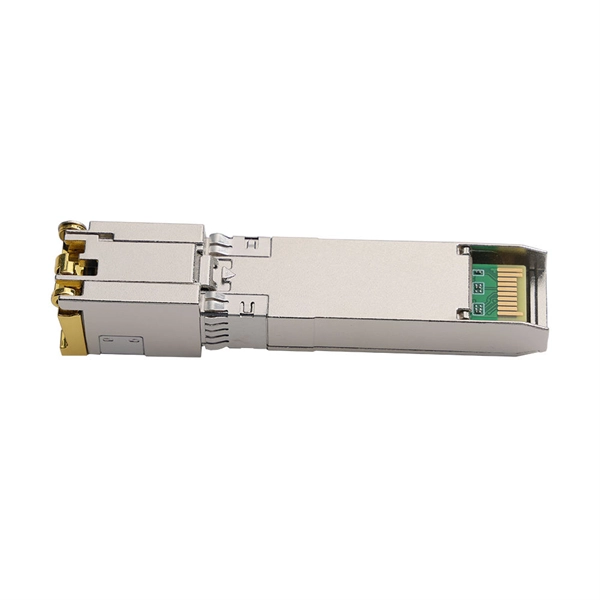
- Use SFP+ transceivers or fiber network adapters if connecting to devices that require copper-to-fiber conversion.
- Test each connection for signal integrity and speed before going live ( ).
Step 7: Test and Optimize
After installation, verify that both networks operate independently and that redundancy works as intended. Check for signal loss, latency, and throughput. Adjust cable management or connections if necessary to maintain optimal performance ( ). By following these steps, you can establish a dual-network fiber optic panel that is organized, scalable, and reliable, ensuring high-speed connectivity and redundancy for critical applications.
 Factory
 Design Guide
Documenting the fiber optic cable plant is a necessary part of the design and installation process for the fiber optic network.
 Factory
 How does a Fiber Optic Patch Panel Work?
Fiber optic patch panels in fiber optic networks, serving as a centralized point for managing and organizing fiber optic
 Factory
 Connection between two optic fiber patch panels
We must distinguish between "fibers" and "cables". One cable can, and usually does, consiste of many fibers. A
 Factory
 Fiber Optic Patch Panel Types & Best Practices | Ultimate Guide
Explore Fiber Optic Patch Panel Types, Rack-Mount & Wall-Mount Panels, Connectivity Options, Troubleshooting,
 Factory
 How To Install Fiber Optic Patch Panel
It is an organized way to terminate and manage the fiber optic cables and connectors for easy connection and
 Factory
 How To Use a Fiber Optic Patch Panel
Connect network infrastructure cables to the back of a patch panel using a punchdown tool and wire-strippers. Fiber patch panel
 Factory
 Single vs Dual Fiber Media Converters (2025): A/B Pairing and WDM
Whether you choose single-fiber BiDi for fiber savings or dual-fiber for simplicity, the fundamentals are the same: match speeds and
 Factory
 Fiber Optic Internet Installation Guide: Steps for Installing Fiber
Learn how fiber optic internet installation works, from network planning to internal ONT setup. Discover step-by-step guidance for
 Factory
 How to Connect Fiber Optic Cable to Router: A Step-by-Step Guide
However, setting up a fiber optic connection to your router can seem daunting if you''re unfamiliar with the process.
 Factory
 Fiber Optic Patch Panel – How to Choose and How to Install
You can get Rack Mount Fiber Optic Patch Panel or Wall Mount Fiber Optic Patch Panel from Fiber Optics For Sale Co. >> What is a
 Factory
 Complete Guide to Fiber Optic Home Networking | BroadbandSearch
Build a home fiber network for 1-2 Gbps speeds with this complete guide to installation, troubleshooting, and performance.
 Factory
 How To Use A Fiber Optic Patch Panel
What Is aFiber Optic Patch Panel? Patch panel is defined as the interface between multiple optical fibers and optical
 Factory
 Fiber Optic Patch Panels: Expert Installation Guide
Embracing these integrated solutions will empower you to take decisive actions based on top-discovered insights, keeping your
 Factory
 Fiber Optic Ring Network Design Explained: Topologies, Diagrams
Learn how to design a fiber optic ring network with practical diagrams, topologies, and switch setup tips. Explore ring
 Factory
 Set Up a Fiber-Optic Network in Your Home or Office (2026)
Learn about the various fiber-optic components used for running fiber in your house, office, or between buildings. Find
 Factory
 The FOA Reference For Fiber Optics
Passive loss is made up of fiber loss, connector loss, and splice loss. Don''t forget any couplers or splitters in the link. If the
 Factory
 Everything you need to know about fiber optic termination
We terminate fiber optic cable two ways - with connectors that can mate two fibers to create a temporary joint and/or connect the