Configuration of Core Switch for Company Leased Line
A core switch for a leased line should be configured with routed interfaces, proper IP addressing, VLAN termination, and management access to ensure seamless connectivity between the corporate LAN and the ISP or remote branch.
Network Architecture Overview
A leased line provides a dedicated point-to-point connection between your company and an ISP or another branch office, ensuring reliable and secure data transfer . Typically, the leased line terminates at a CSU/DSU or managed router, which then connects to the core switch. The core switch acts as the distribution point for internal VLANs and routes traffic to the leased line for external communication .
Core Switch Configuration Steps
1. Interface Configuration
- Assign the interface connected to the leased line router as a routed interface (Layer 3).
- Example for Cisco Catalyst:
Switch(config)# interface GigabitEthernet0/1Switch(config-if)# no switchportSwitch(config-if)# ip address 192.168.1.2 255.255.255.252Switch(config-if)# no shutdown
- Use a /30 subnet for point-to-point links to minimize IP wastage .
2. VLAN and Routing Setup
- Terminate VLANs on the core switch if it also serves as a Layer 3 switch.
- Configure SVIs (Switched Virtual Interfaces) for internal VLANs:
Switch(config)# interface vlan 10Switch(config-if)# ip address 10.10.10.1 255.255.255.0Switch(config-if)# no shutdown
- Enable IP routing to allow traffic between VLANs and the leased line:
Switch(config)# ip routing
3. Default Route to ISP or Remote Branch
- Configure a default route pointing to the leased line router:
Switch(config)# ip route 0.0.0.0 0.0.0.0 192.168.1.1
- This ensures all outbound traffic uses the leased line as the primary path .
4. Management Access
- Assign a management IP to a dedicated VLAN for remote administration:
Switch(config)# interface vlan 99Switch(config-if)# ip address 10.10.99.1 255.255.255.0Switch(config-if)# no shutdown
- Enable Telnet or SSH for secure access. Configure ACLs to restrict access to trusted hosts.
5. Redundancy and Security Considerations
- If using multiple leased lines, configure HSRP/VRRP for gateway redundancy.
- Apply ACLs on the routed interface to control traffic from the leased line.
- Monitor the interface with SNMP or NetFlow for performance and SLA compliance .
Summary
To configure a core switch for a leased line:
- Connect the leased line router to a routed interface on the switch.
- Configure VLANs and SVIs for internal networks.
- Enable IP routing and set a default route to the leased line.
- Assign a management IP and secure access.
- Consider redundancy and monitoring for reliability.
This setup ensures efficient traffic flow, secure connectivity, and proper integration of the leased line into the company network .
 Factory
 8 Steps to configure your network switch
Learn how to setup a network switch with ease. Switches allow you to send and receive information efficiently and securely. Get
 Factory
 Cisco core switches high availability
Hello everyone, In my campus network i have cisco 2960x as access switches and one cisco 3750 as core switch
 Factory
 Cisco Switch Selector
Quickly identify the right Cisco switch for your needs, whether you''re looking for a new switch or upgrading an old one for an
 Factory
 How to Configure Cisco Switches: A Step-by-step Guide
How to configure a Cisco switch? In this step-by-step guide, we''ll configure a Cisco Catalyst Switch. Catalyst series is a
 Factory
 Configuring the Core Switch
Configuring the Core Switch Context In this scenario, IP addresses of the interfaces connecting the core switch to the
 Factory
 What is Leased Line and How Does it Work?
This means that the associated bandwidth is exclusive for personal and business use. They are different from
 Factory
 Leased Line Network Architecture | Leased Line Connection
Leased Line Connection Diagram Below is a block diagram illustrating a typical leased line network architecture
 Factory
 Network switch
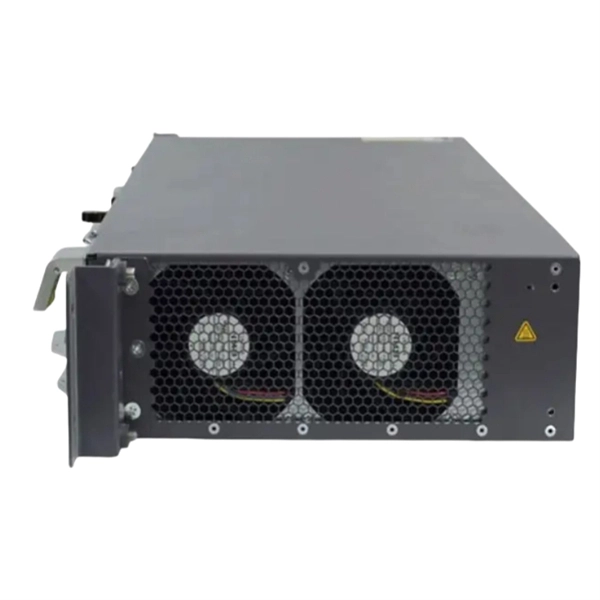
A network switch (also called switching hub, bridging hub, Ethernet switch, and—by the IEEE — MAC bridge) is networking
 Factory
 2.2.2.1 Leased Lines
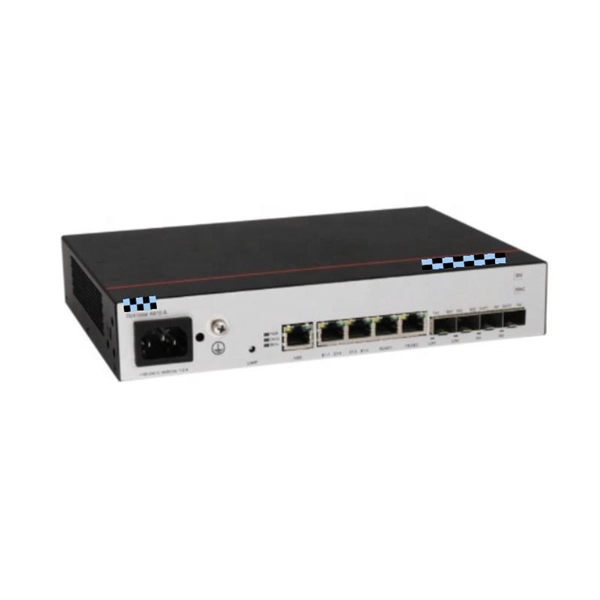
Limited flexibility - WAN traffic is often variable, and leased lines have a fixed capacity, so that the bandwidth of the line seldom
 Factory
 Core Switch and Access Switch configuration
10-04-2017 06:11 AM What configuration have you got at the moment? Exactly what are you trying to acheive on the core switch?
 Factory
 Introduction to Core Switch Configuration
A switch that functions as part of a router and operates at the third layer of the OSI network standard model, the network layer. The
 Factory
 Basic Switch Configuration Guide with Examples
This tutorial explained the essential switch configuration commands. With these fundamental configuration
 Factory
 How to Configure a Cisco Switch in 10 Steps
This guide will walk you through the essential tasks needed to configure a Cisco switch, from initial setup to more
 Factory
 Leased Line Network Architecture | Leased Line Connection
Below is a block diagram illustrating a typical leased line network architecture connecting two branch offices (Branch A
 Factory
 Network Switches
Cisco network switches deliver performance, flexibility, and security. Cisco switches are scalable and cost
 Factory
 Transmission Media in Computer Networks
Transmission media refers to the physical or wireless communication channel used to carry data signals from one
 Factory
 Catalyst 2948G-L3 Sample Configurations
Each configuration section contains an example topology and explains the creation of the example networks. Additionally, a
 Factory
 How to Configure a Cisco Switch (step by step)
If you''re looking to configure a switch for the first time, this post is for you. Learn step-by-step configuration commands
 Factory
 Core Switch Configuration Guide
This document outlines the configuration steps for a core switch in a server room, including connecting via serial cable, assigning
 Factory
 SME Network Solution Typical Configuration Examples
Support Documentation Enterprise Network Solution Horizontal Solutions CloudCampus SME Configuration & Commissioning
 Factory
 SME Network Solution Typical Configuration Examples
"Gateway + Core Switch + Aggregation Switch + Access Switch + WAC + AP + AR180" Networking: Local Entire Network
 Factory
 Example of a Configuration for a Leased-Line Link (System
Example of a Configuration for a Leased-Line Link The tasks in Chapter 18, Setting Up a Leased-Line PPP Link (Tasks) show how to
 Factory
 Guide to Basic Switch Configuration | Auvik
Switch configuration on your own can seem like a daunting task. Use this handy guide to get your network switch up
 Factory
 The Ultimate Guide to Leased Lines for Business
In this in-depth guide, you''ll learn everything you need to know about leased lines, why businesses need them, and how to have one
 Factory
 What are Leased Lines? A buyers guide to Leased Line
A leased line is a fixed bandwidth data connection that is dedicated to your business. The name ''Leased Line'' comes
 Factory
 How to Choose the Right Core Switch for Enterprise Network?
Learn how core switches for enterprise networks and LAN campus networks function in the hierarchical
 Factory
 Leased line setup and equipment scenarios
These guides show how the equipment should be connected for the applicable scenarios; Each leased line product variant comes
 Factory
 Initial Switch Configuration
Whether the configuration deployment of a switch is completed all at once or done in phases, the basic switch settings must first be
 Factory
 How to Choose Layer-3 /Core Switches for Enterprise Networks?
However, they are also more expensive than fixed switches. In order to guarantee the availability of the network, it is
 Factory
 LAN Switching Configuration Guide
Perform this task to configure the main interface used for the Q-in-Q double tagging and to configure the subinterfaces. An optional
 Factory
 Configuring the Core Switch
In this scenario, IP addresses of the interfaces connecting the core switch to the BRASs and firewalls and OSPF need
 Factory
 Configuring the Core Switch to Be Managed by the Controller (Switch
Currently, iMaster NCE-Campus mainly manages devices from the access layer to the core layer. To manage a core
 Factory
 Leased line setup and equipment scenarios
Leased line setup and equipment scenarios Circuit types & options Circuit termination Equipment setup guides Network setup
 Factory
 What Is a Core Switch?
A core switch is the backbone of a large-scale network, designed to handle massive volumes of traffic with ultra-low latency and
 Factory
 Planning a Leased-Line Link
When your company rents a leased-line link from a network provider, you typically configure only the system at your end of the link.