Huawei switch optical port link failure
Optical port connection failures on Huawei switches are usually caused by hardware issues, incompatible optical modules, fiber mismatches, or incorrect port configurations.
Common Causes
- Hardware Issues: Faulty optical modules, damaged fibers, or defective switch ports can prevent the link from coming up .
- Incompatible Optical Modules: Using non-certified modules or mixing single-mode and multimode fibers can cause connection failures .
- Port Configuration Problems: Ports may be administratively shut down, or interface settings like speed, duplex, or negotiation mode may be inconsistent with the peer device .
- Optical Power Issues: Transmit or receive power outside the normal range can prevent the link from establishing .
- Environmental Factors: Contaminated optical bores, excessive distance, or improper cabling can also lead to failures .
Troubleshooting Steps
- Check Port Status: Use the command
display interface briefto verify if the port is administratively up and check the PHY status . - Verify Optical Module Compatibility: Ensure the module matches the switch model, fiber type (single-mode or multimode), and interface rate .
- Inspect Optical Power: Run
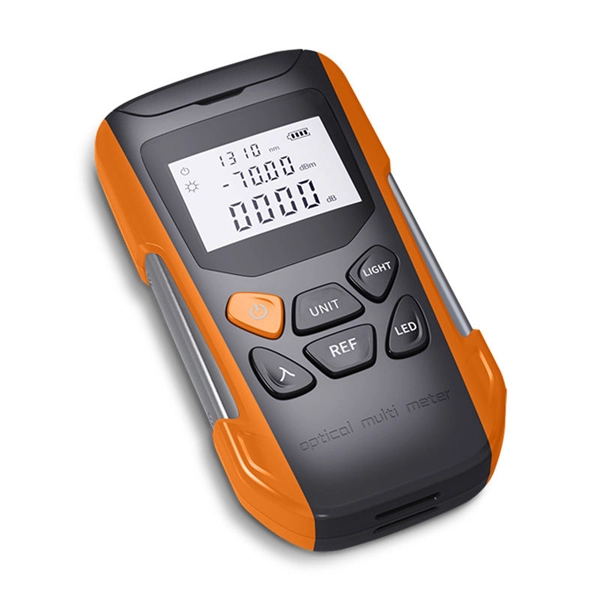
display transceiver interface <interface> verboseto check transmit and receive power levels. Use an optical power meter if necessary . - Loopback Test: Connect the fiber jumper to the same optical module to test the port independently .
- Clean Optical Interfaces: Remove dust and contaminants from optical bores using proper cleaning tools .
- Swap Modules or Ports: Replace the optical module or test another port to isolate the faulty component .
- Check Configuration: Ensure the port is not shut down (
shutdowncommand) and that speed/duplex settings match the peer device . - Software Updates: Verify the switch software version with
display versionand upgrade if necessary to a recommended release . - Monitor Alarms: Use
display interface transceiverto check for LOS (Loss of Signal) or other alarms indicating link issues .
Best Practices
- Always use Huawei-certified optical modules or verified third-party compatible modules .
- Avoid mixing single-mode and multimode fibers or modules with different wavelengths .
- Cover unused ports with dust plugs to prevent contamination .
- Ensure the optical module rate matches the port rate to prevent mismatched speed issues . By systematically checking hardware, configuration, and optical parameters, most Huawei switch optical port connection failures can be quickly diagnosed and resolved.
 Factory
 How To View Optical Transceiver Information On Huawei Switches
Optical transceivers are widely applied in switches, network cards, routers and other communication devices.
 Factory
 Optical Module Solutions for Huawei S5700/S5720 Series Switches
When using switches, we may encounter many confusions, such as what types of optical modules are needed for
 Factory
 Troubleshooting an Interface Error-Down Event
The switch provides the link flapping protection function to resolve this problem. When an interface frequently
 Factory
 How Do I Troubleshoot a Stack Setup Failure?
What Ports Can Be Used to Set Up a Stack Among CE Series Switches? Which Cables Can Be Used for Stack
 Factory
 How to Master Huawei Switch Stacking: Best Practices and
Switch stacking is a cornerstone of modern network design, enabling simplified management, improved redundancy,
 Factory
 Troubleshooting S Series Switch Port and Interface Problems
If a non-Huawei certified optical module is installed, replace it with a Huawei-certified optical module. Non-Huawei certified optical
 Factory
 How To Check If Interconnected Optical Ports Cannot Go Up?
1. Checking the Optical Module Type Log in to the switch through Telnet or console port to check the switch model. Run the display
 Factory
 Checking the Optical Fiber or Link
Checking the Optical Fiber or Link Procedure Check whether the transmit and receive optical fibers are correctly connected. If no, re
 Factory
 Huawei NetTech TV
3. Eliminating Layer 2 Loops on S Series Switches 4. Troubleshooting a PoE Power Supply Failure on S Series Switches 5.
 Factory
 port is disconnected due to optical module faulty
As per checked the log, it was found that the host port was disconnected, This alarm indicates the port and switch has
 Factory
 Troubleshooting Optical Module Issues
Troubleshooting Optical Module Issues Symptom An optical port cannot go Up. The optical module cannot be properly
 Factory
 Fibre Channel Link Failure
Possible Causes Possible causes for a Fibre Channel link failure: The optical transceiver is faulty. The optical transceiver is
 Factory
 Troubleshooting S Series Switch Port and Interface Problems
Troubleshooting S Series Switch Port and Interface Problems This document describes how to check the switch interface or port
 Factory
 TROUBLESHOOTING S SERIES SWITCH PORT AND INTERFACE PROBLEMS
This document describes how to check the switch interface or port status and how to locate an interface physically down fault and
 Factory
 OLT''s Upper-Layer Network Is Faulty
Check fiber quality on the upper-layer network. Ping the network IP from the OLT. If packets are lost, perform the following
 Factory
 Troubleshooting Interface Down Problems
If a fiber is not properly installed on an optical interface or an optical fiber link fails, ALS shuts down the laser to save energy and
 Factory
 Troubleshooting Interface Down Problems
When the optical power of an interface falls below the default lower threshold, the interface is shut down. If there is no forwarding link
 Factory
 Checking the Interface Status and Configuration Parameters
If a message is displayed, indicating that the optical module is not in position, remove and then properly insert the optical module. If
 Factory
 Fibre Channel Link Failure
In a switch-based network, the rate of the switch is different from that of the Fibre Channel front-end port on the storage device or
 Factory
 SME NETWORK S SWITCH TROUBLESHOOTING GUIDE
If an active link fails, the remaining active links automatically load balance the traffic evenly. This mode is recommended when the
 Factory
 How To Check If Interconnected Optical Ports Cannot Go Up?
If the problem is not caused by the optical modules, fibers, or intermediate device, connect the switch to another interface or replace
 Factory
 Troubleshooting Interface Down Problems
If an optical module with an MPO connector is installed on an optical interface that is not split or an optical module with an LC
 Factory
 Troubleshooting for Optical Modules on Huawei Switch
If the transmit power remains low, replace the optical module or install it in another optical port to check whether it is faulty. If the
 Factory
 Optical Link Failure Troubleshooting: Switch-to-Switch (SMF/MMF)
Network link down? Learn how to troubleshoot optical link failures between network switches. Essential guide covers
 Factory
 Port: After an Optical Fiber Is Inserted into an Optical Port on the AC
If an optical module supporting a long transmission distance is used for short-range transmission, the optical port
 Factory
 Optical Interface FAQ: Transceiver Compatibility Guidelines for
Overview & Thematic ScopeThis FAQ addresses one of the most critical operational decisions for network engineers managing
 Factory
 Troubleshooting for Optical Modules on Huawei Switch
When connecting switches through optical ports, pay attention to the following points: The optical modules used on both ends must
 Factory
 Causes of an Interface Physically Down Event and Troubleshooting
Check whether the optical module of the interface is a Huawei-certified optical module. For the Huawei-certified